A ‘Veterans Grant’ Ad Got Your VA Login or Bank Info: Next Steps
A social media ad or message about a veterans grant asked for your VA.gov sign-in or direct deposit details, and you gave them. How to protect your payment.
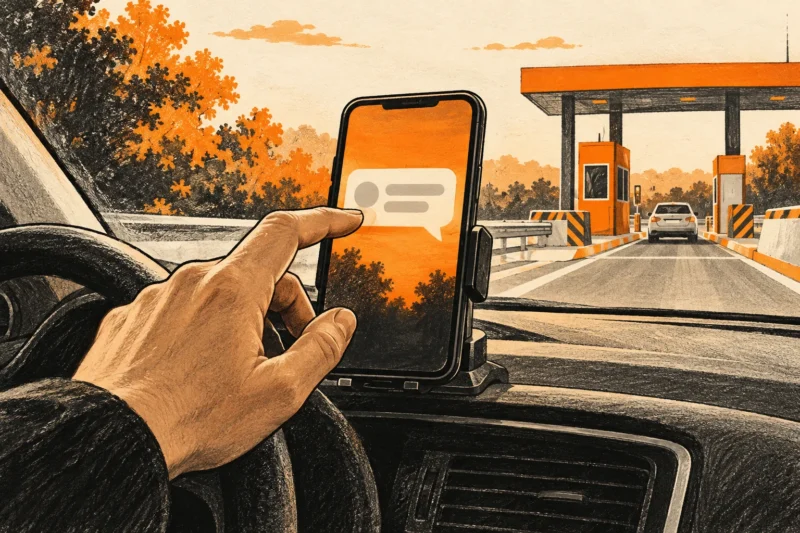
The ad looked like it was made for you. It mentioned your branch, maybe your unit, and promised a grant for veterans that you could check in a minute. You followed the link, signed in or typed your bank details, and now your next VA payment feels less certain. Here is how to check it and lock things down.
Two Federal Trade Commission alerts in the past week describe this exact route. On November 10, 2026, a Veterans Day reminder said scammers use details from veterans’ profiles, such as military history, promotion photos and tagged locations, to message them about grants that are not real. They may claim to work for the VA and send people to convincing fake websites to “check” eligibility. The FTC says the real goal is a Social Security number or VA.gov login details, and it states plainly that the VA never messages veterans on social media.
Six days later, on November 16, the FTC published “Three new tactics scammers use to go after VA benefits.” One of the three is social media ads on Facebook and TikTok for fake veterans grant programs. People who respond are pushed to share direct deposit details so their payments can be redirected to the scammer’s account.
The ad worked because it was built from things you shared with people you trust. That is not carelessness. It is the material these operations look for.
If you gave a password, change it now from a device you trust, by typing the sign-in site’s address yourself. Then call the VA benefits line at 800-827-1000, the number the VA’s VSAFE fraud prevention kit lists for suspected benefits fraud, and ask them to confirm the bank account on file for your payments.
What you shared decides what you do
Most people in this situation gave one or two things, not everything. Start with the row that matches.
| You gave the fake site or the messenger | Why it matters | What to do |
|---|---|---|
| Your VA.gov sign-in (the email and password you use for it) | VA.gov accepts sign-in through CLEAR, ID.me or Login.gov. With that login, someone can view your profile and may try to change payment details | Change the password on that sign-in account, check its security settings and turn on two-factor authentication if it is not already on |
| Your bank routing and account numbers | These can be entered as “your” deposit account somewhere else, or used to try withdrawals | Call your bank’s fraud line from the number on your card or statement. Ask about blocking unfamiliar debits and whether a new account number makes sense |
| A new bank account they told you to use | This is the redirect the FTC describes: your payment would go to an account the scammer controls | Call the VA right away and say the change was not made by you, or was made under false pretenses. Ask what will happen to the next payment |
| Your Social Security number | Risk of identity theft beyond VA benefits | Follow the steps at IdentityTheft.gov/databreach, or at IdentityTheft.gov if it has already been misused |
| A one-time code sent to your phone | The code may have let them finish signing in as you | Treat the account as taken over: change the password, review devices and sign-in history, and call the VA |
| A fee for “processing” the grant | A real government grant does not require one | Contact your bank, card issuer or payment app and ask for a reversal, as below |
Checking where your VA payment will go
The VA’s direct deposit page says you can update deposit information for disability compensation, pension, education benefits and Foreign Medical Program claims in your VA.gov profile. That same profile is what a stolen login opens, so look at it carefully once you have changed your password.
- Sign in by typing VA.gov into your browser. Do not use a link from the ad, the message or a search result you are unsure about.
- Open your profile and find direct deposit. Note the bank name and the last digits of the account. If you do not recognize them, do not just change them back and move on. Call the VA as well, so the change is on record as fraud.
- Check your contact details. A changed email address or phone number can stop VA notices from reaching you. Put yours back and mention the change when you call.
- Call 800-827-1000. Say that you believe someone used your information after a fake grant ad, give the date and ask them to note it on your record. Ask whether your next payment has already been sent to the account on file.
- Write down what you were told. Date, time, the name of the person and anything they promised to do.
If you cannot reach your profile at all because the password or email was changed, say that first when you call. Do not let a “VA support” contact from social media help you recover the account. The FTC is clear that the VA does not reach out there.
If you paid something
Some versions ask for a small “release” or “processing” fee before the grant arrives. The FTC’s page on government grant scams says no government agency will contact you to demand payment for a grant, and that the only place to find a list of all available federal grants is Grants.gov, which is free. Follow its advice for getting money back: contact the company you used to pay, say the transaction was fraudulent and ask for a reversal. Act quickly; card disputes have the best odds, and wire, gift card and crypto payments are much harder to recover.
Report it in the right places
- VSAFE: the FTC’s November 16 alert names the VSAFE Fraud Hotline, 833-38V-SAFE (833-388-7233), for VA-related scams. VSAFE.gov also takes reports.
- The FTC: file at ReportFraud.ftc.gov. Include the ad’s text, the page it opened, the account name that messaged you and when.
- The platform: report the ad or the profile from its own menu on Facebook or TikTok before it disappears. Screenshot it first.
Expect a second wave. People who were caught once are often contacted again by someone offering to “recover” the grant money or the lost payment for a fee. Our guide to the second scam that arrives as help explains how that pitch sounds. Real VA staff will not charge you to fix a payment.
How this differs from other veteran scams
If your contact started with a postcard about a “Veterans Savings Program,” the steps are a little different; see our guide for people who called that number. If you reached a fake VA number and paid for claim help, read what to do after paying a lookalike VA hotline. The grant ad is its own route because it goes after the login and the deposit account rather than a fee alone. Workers whose paychecks were redirected after a similar trick may find our piece on direct deposit diversion useful, since the bank-side steps overlap.
Making your profile less useful to the next ad
The FTC’s November 10 alert suggests limiting who can see your posts and contacts by adjusting privacy settings on each platform. You do not need to delete your service history to do that. A few changes take most of the targeting material away:
- Set old promotion and unit photos to friends only, or a custom list.
- Hide your friends list, which is often full of fellow veterans who can be targeted next.
- Turn off location tags on new posts, and remove the ones that show your base or home area.
- Stop letting strangers send you direct messages, if the platform allows it.
If an offer about benefits ever looks real, check it the slow way. Go to VA.gov yourself, and if someone says they are helping with a claim, look them up in the VA’s accredited representative search, which the FTC recommends in both alerts. Then tell one veteran you know what the ad looked like. That is often how the next person spots it in time.
Sources
- FTC, A Veterans Day reminder on how to spot scams on social media (November 10, 2026)
- FTC, Three new tactics scammers use to go after VA benefits (November 16, 2026)
- FTC, Government grant scams
- VA, Change your direct deposit information
- VA, Signing in to VA.gov
- VSAFE, Fraud prevention kit: disability and pension benefits
Found a factual error or a source that has changed?
Send a correction →