The delivery voicemail asks for a tiny fee. Here is how to verify it before you pay
An October 2026 delivery voicemail report shows how a familiar carrier name, a deadline and a tiny fee can steer people to a look-alike payment page. Here is how to verify the parcel and respond if you entered details.
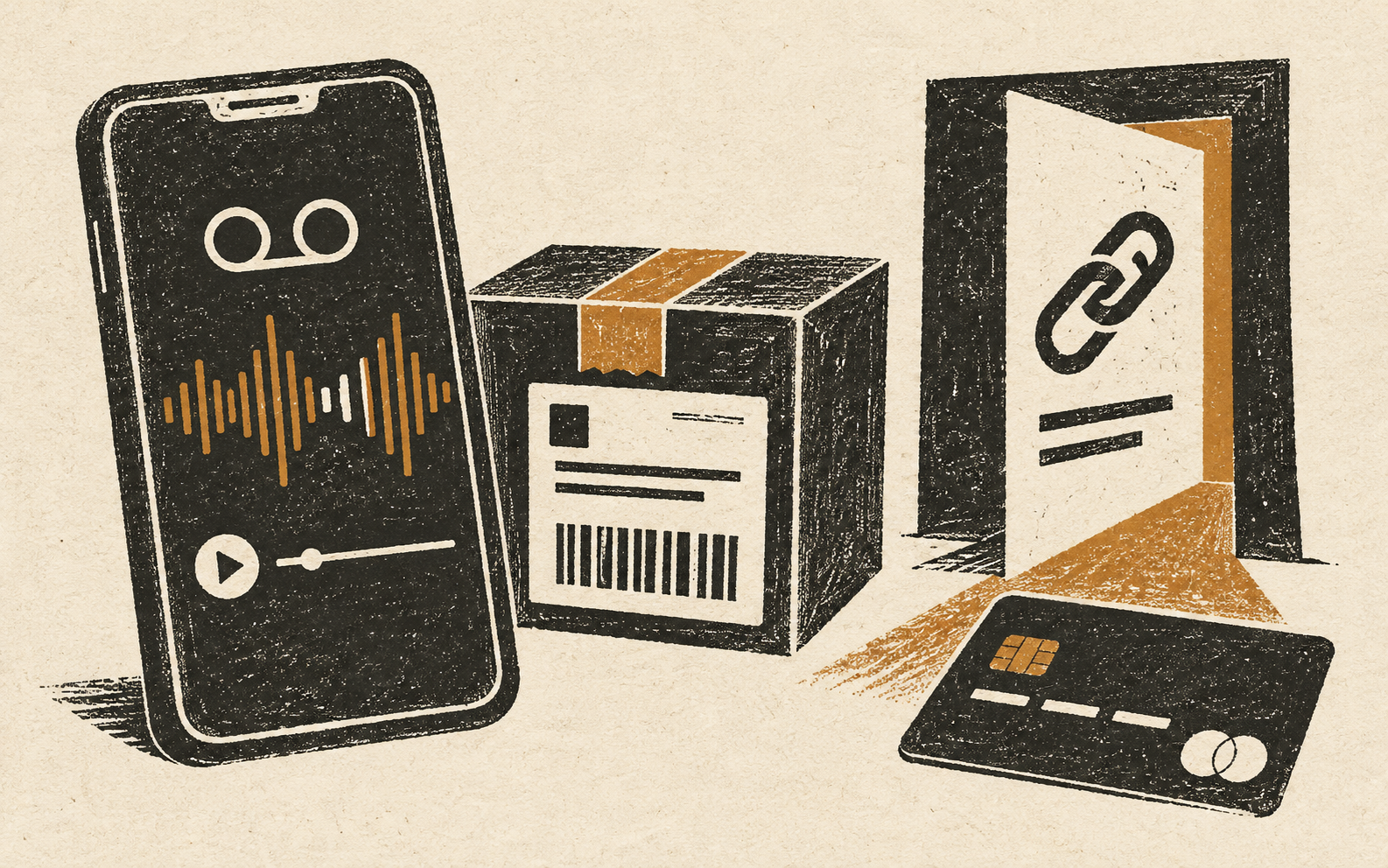
A delivery message arrives at exactly the wrong moment: you are expecting a parcel, your phone has transcribed a voicemail, and a calm automated voice says the address is incomplete. It gives you a deadline and a short web address. The page asks for a small redelivery fee. That combination can feel routine—but a tiny charge can be the first step in exposing card details and personal information.
In an October 2026 Reddit post, one user described an automated delivery voicemail directing them to a look-alike domain. Other commenters reported similar messages with slightly changed domains. That thread is an anecdotal field report, not evidence of how widespread the campaign is. It is still a useful snapshot of the pressure pattern: a familiar carrier name, a delivery problem, a deadline, and a request to visit an unfamiliar site.
Why a tiny fee is not the real prize
A small amount can lower your guard. People may treat a dollar or two as the cost of fixing an urgent delivery problem. But a fake checkout can collect the card number, expiry date, security code, billing name, address, phone number, and sometimes a password. The fee may be only a pretext; the submitted details are more valuable than the payment itself.
The Federal Trade Commission describes a similar delivery-text pattern: a link leads to a look-alike site that asks for personal or financial information. FedEx also warns that fraudsters impersonate it and that suspicious messages may seek credentials, identity details, or payment. The important distinction is not whether a company ever sends notifications; it is whether you can verify the exact shipment through a channel you opened independently.
What the scam flow looks like
| Stage | What you may see | Safer response |
|---|---|---|
| 1. The interruption | Voicemail, SMS, or email says delivery failed or the address needs “confirmation.” | Pause. Do not treat the caller ID, logo, or voice as authentication. |
| 2. The deadline | A short cutoff threatens return to sender or another delay. | Look up the order from your retailer account, not the message. |
| 3. The unfamiliar domain | A carrier-like name has extra letters, a different ending, or no clear relation to the carrier. | Do not test it by logging in. Navigate to the official carrier site or app yourself. |
| 4. The “small” payment | The page asks for a low fee or card to release the parcel. | Check the shipment’s actual status and any legitimate charges through verified channels. |
| 5. The follow-up | More calls, one-time-code requests, or “support” offers arrive after you submit details. | Contact your bank or carrier using a known number; never read out a verification code. |
How to verify a delivery without trusting the message
- Start with the order. Sign in to the retailer or sender account using its saved app or a bookmark. Check whether an order is actually in transit.
- Use a tracking number you already possess. Copy it from the retailer’s order history or original confirmation—not from a suspicious message.
- Navigate independently. Open the carrier’s official website or app by typing the address or using a trusted bookmark. Search there for the shipment.
- Check the exact request. If the official tracking page shows an issue, read the carrier’s own explanation and contact support through its published channels.
- Report the lure. Use your phone’s spam-reporting option. In the U.S., the FTC recommends forwarding unwanted texts to 7726 when supported and reporting scams at ReportFraud.ftc.gov. FedEx asks people to forward suspicious messages to abuse@fedex.com.
Some legitimate international shipments can involve duties or taxes. That nuance is why “a carrier never charges anything” is too broad. The safer rule is narrower: do not pay through an unsolicited link. Verify the amount and shipment inside the carrier’s official account or import-payment tool. FedEx specifically describes its Import Tool as a way to verify applicable duties and taxes.
Why the domain can keep changing
Fraud sites are disposable. A copied brand word plus a different suffix or extra characters may be enough to make a link look plausible in a voicemail transcript. Once a domain is reported or blocked, a new look-alike can appear. The domain’s age or registration details can be a clue, but ordinary people should not have to investigate domain records before deciding whether to pay. Independent verification is simpler and safer.
Also avoid calling a phone number supplied by the message or searching the web and picking the first sponsored “support” result. A false support listing can create a second route to the same operator. Use the contact page inside the official app or on the official carrier domain.
If you already opened the link
Opened but entered nothing: close the page and do not download an app or profile. If a file was downloaded, do not open it; remove it and run your device’s built-in security checks. Keep your operating system and browser current.
Entered card details: call the card issuer using the number on the card or its official app. Explain that you submitted the details on a suspected fake delivery site; ask whether to lock or replace the card and review recent transactions. Do not wait for a charge to appear.
Entered a password: change it on the real service from a trusted device, and change it anywhere else you reused it. Turn on multifactor authentication where available. If you provided a one-time code, tell the bank or account provider that specifically—the code may have approved a login or transaction.
Paid or shared identity details: save the message, URL, time, and any receipt. Contact the bank or payment provider, then use the appropriate official fraud-reporting channel. If sensitive identity information was exposed in the U.S., IdentityTheft.gov explains recovery steps. Never pay a stranger who claims they can recover the money for a fee.
A simple household rule
Agree on one default: delivery problems are checked in the retailer or carrier account, never through an unexpected link. That rule works even when the message is polished, the voice sounds convincing, or a real package is on the way. If a delivery truly needs attention, the independently opened account should give you a way to confirm it.
For related situations, see our guides to parcel-redelivery messages that ask for card details, unexpected toll-payment texts, and finding real support after a travel disruption.
Sources
- Reddit r/Scams, Oct. 6–8, 2026: user-reported automated delivery voicemail and look-alike domain (anecdotal report)
- Federal Trade Commission: delivery-text look-alike sites and verification steps
- FedEx: recognizing and reporting fraud
- FTC: phishing response and identity-protection guidance
Found a factual error or a source that has changed?
Send a correction →